Online Banking
Banks deploy Remote Desktop Detection to secure online banking against fraud and ATO (Account Takeover) attacks.


Choose a reporting and event identification method – e.g., REST API integration.
Add a single line of JavaScript code (web) or a library (mobile) to activate remote-desktop detection (Remote Access Scam, ATO).
Enable Remote Desktop attack protection with instant fraud response (real-time fraud prevention).
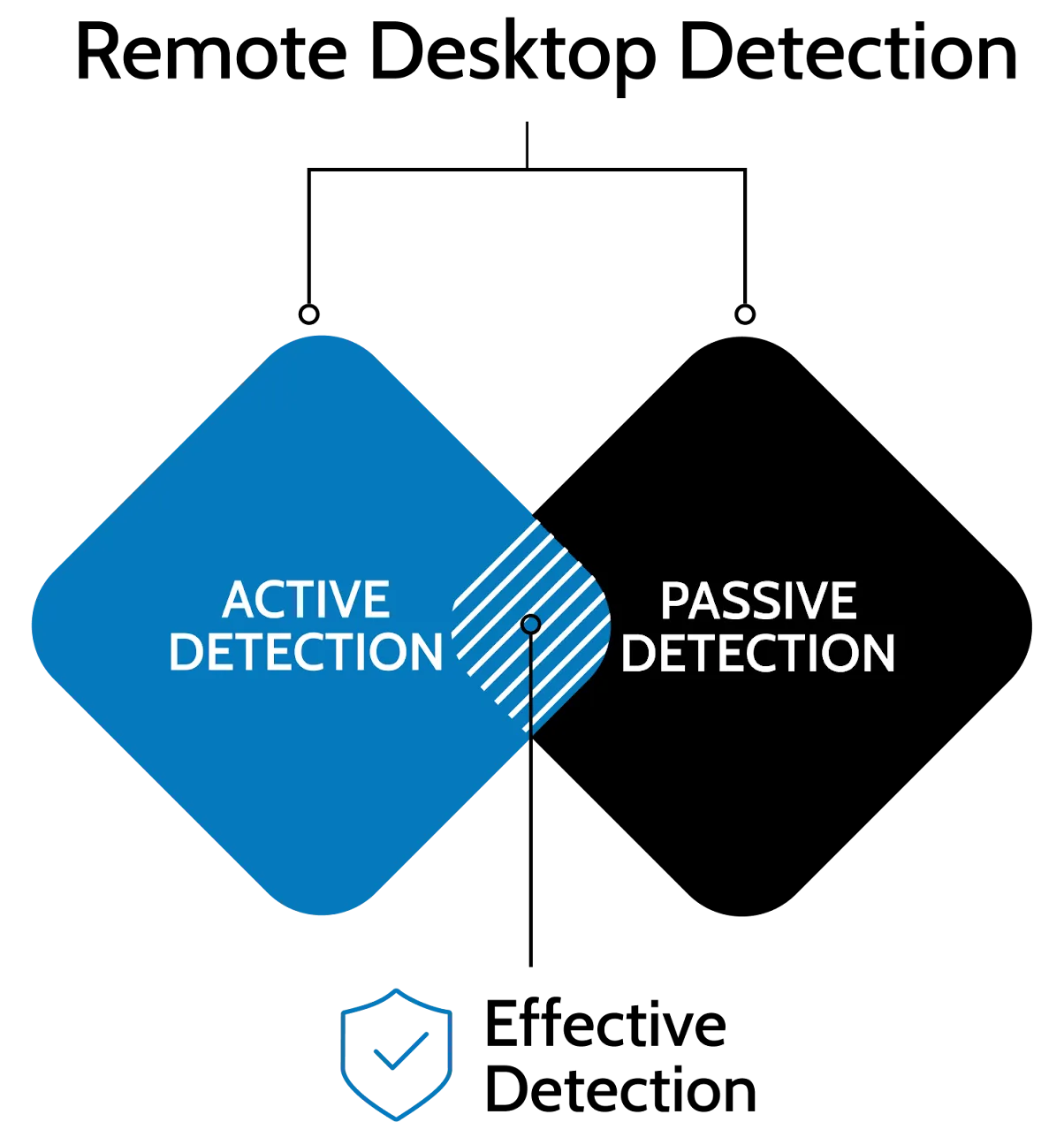

Detects active remote connections with Active + Passive detection
User behaviour and environment analysis (indirect signals only)
Desktop browsers, mobile browsers, and mobile apps
Lack of mobile browser support, limited mobile functionality
No personal data processing, no biometrics, supports compliance with regulations
Profiling and biometrics increase regulatory requirements
Runs in the background with no user interaction, reduces false positives
Behavioural models may mistakenly flag legitimate users – user consent for profiling is required
Works “from day 1” – with no model training phase
AI/biometric models require a learning period lasting weeks or months
Lower losses, reduced team workload, and faster incident handling
Lower effectiveness: higher costs and false alerts
Dedicated (EU/EEA, UK or US); full data residency; no public cloud
Shared cloud: multi-region hosting, which may place data outside the customer’s jurisdiction
Full monitoring of the entire user session
Monitoring often limited only to the login moment
Convenient integration with your existing environment and infrastructure
Requires dedicated connectors and configuration


Yes. The effectiveness of Remote Desktop Detection can be tested through a Proof of Concept (POC) lasting about three months. We recommend running tests in a production environment, with real user volumes and actual traffic. This approach provides reliable data on detection accuracy and the real reduction of fraud involving remote access scams.
The implementation of Remote Desktop Detection is lightweight and does not impact the system architecture. The library is embedded directly in the mobile app, and activating protection requires only a single function call.
A typical deployment takes around 20 working days, depending on the environment and integration scope. Remote Desktop Detection works from day one after deployment, with no learning period, providing full effectiveness immediately upon activation.
No. Remote Desktop Detection operates in a secure hosting model managed and fully maintained by PREBYTES. The environment does not use public cloud, and all infrastructure is controlled and isolated in line with financial sector requirements. This architecture removes infrastructure duties from organisations while ensuring full security, continuous updates, and uninterrupted operation.
No. Remote Desktop Detection does not report mere installation of applications on the user’s device. Detection is triggered only when there is an active online session.
No. Remote Desktop Detection is continuously evolving and adapting to new methods used by cybercriminals. The technology does not rely on a closed list of applications – it is constantly updated with new attack vectors and tools used in fraud.
No. Remote Desktop Detection is scalable and operates reliably regardless of user volume or traffic levels. It is used by financial institutions serving millions of clients and hundreds of thousands of daily sessions, confirming its performance and reliability in high-load environments.
Cooperation doesn’t end with the implementation. We offer regular meetings with security teams as well as ongoing product support. This ensures that the technology and antifraud processes are continuously improved and developed.


Prevent Account Takeover, stop fraud and money laundering.

Device digital fingerprint and Strong User Authentication (SCA).

Prevent remote access scam and remote desktop takeover.

Protect your application against emulators, malware, and takeover.

Real-time access to online threats for your IDS/IPS, MISP, SIEM, and incident response team.
Identify and reduce fraud associated with attacks leveraging remote desktop.

Professional cyberthreats analysis.

Professional cyberthreats mitigation.

Investigate the internet for harmful content for your organization.

Cybersecurity awareness newsletter to keep your organization up to date.
Prevent Account Takeover, stop fraud and money laundering.
Device digital fingerprint and Strong User Authentication (SCA).
Prevent remote access scam and remote desktop takeover.

Protect your application against emulators, malware, and takeover.
Real-time access to online threats for your IDS/IPS, MISP, SIEM, and incident response team.
Professional cyberthreats analysis.
Professional cyberthreats mitigation.
Investigate the internet for harmful content for your organization.
Cybersecurity awareness newsletter to keep your organization up to date.
Identify and reduce fraud associated with attacks leveraging remote desktop.