What challenge was the client facing, and why was it critical?
The bank was experiencing remote access scams that relied on social engineering and posed a particular threat to customers with lower levels of digital confidence, including older people.
Fraudsters impersonated members of the bank’s security team and contacted customers, often older customers, claiming that an attempt had been made to steal money from their account. They then persuaded the customer to launch a legitimate remote access application, such as AnyDesk.
Because the customer logged in to online banking themselves, there were often no clear signs of fraud at the login stage. It was only when a payment was being initiated that the fraudster took control of the device or instructed the customer how to authorise the transaction. It was therefore essential to detect an active remote access session during high-risk activities, rather than only at login.
The bank’s existing security measures were primarily focused on the login stage. Once a customer had been successfully authenticated, the bank had limited ability to identify quickly that a remote access tool had appeared during the active session.
The greatest risk occurred during high-risk activities, such as initiating a payment. The transaction could be carried out directly by the fraudster or by a correctly authenticated customer following the fraudster’s instructions.
The bank needed a way to detect active remote access sessions without requiring customers to take additional steps, such as completing extra authentication checks or logging in again.
Key challenges
- Security measures focused primarily on the login stage
- Limited visibility of threats emerging during an active session
- Fraudsters using legitimate remote access tools, including AnyDesk, TeamViewer, Supremo)
- Greater vulnerability among older customers and people with lower levels of digital confidence
- Maintaining an uninterrupted customer experience without introducing additional actions for the customer
What did we implement, and how does it work in practice?
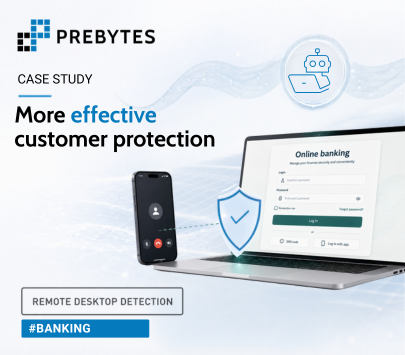
PREBYTES Remote Desktop Detection for Web was implemented in the bank’s online banking channel. Integration required the addition of a single line of JavaScript code. Once activated, the solution began providing a signal indicating the presence of a remote desktop connection and a potential takeover of the active session.
The bank determined when the Remote Desktop Detection signal should be used. It can be checked on the login page, before a high-risk transaction or during other critical activities performed after login.
The solution does not interfere with the bank’s existing anti-fraud systems and does not require them to be replaced or rebuilt. It operates independently and in parallel, complementing existing mechanisms with an additional signal indicating the presence of a remote desktop connection. This helps reduce false positives and allows situations requiring intervention to be identified more quickly.
Remote Desktop Detection uses both active and passive detection mechanisms to identify remote access tools in use and recognise when control of a device or online session is taken over.
The solution does not use data that could identify the customer. It is therefore aligned with a privacy-by-design approach.
Customers do not need to install additional software, perform any additional actions or provide new consent for the protection to work. From the customer’s perspective, the way they use online banking remains unchanged.
The solution also requires no prior learning period, meaning that it provides protection from the first day of operation.
What were the results, and what changed in day-to-day operations?
The bank extended detection beyond the login stage and gained the ability to use the Remote Desktop Detection signal throughout the active session, particularly before high-risk transactions.
This was especially important for older customers and people with lower levels of digital confidence, who may be more susceptible to manipulation by fraudsters. In these cases, the speed at which the threat could be identified had a direct impact on protecting the funds held in the customer’s account.
Fraud prevention teams received an additional risk signal at the point when it was most relevant. The solution operated in the background, without requiring customers to install additional software or take any additional action, preserving an uninterrupted online banking experience.
In the implementation analysed, the investment achieved ROI within three months.
Results following implementation
- Protection throughout every stage of the online session and the ability to stop a transaction identified as high risk
- Protection for all customers, with particular benefits for older people and those with lower levels of digital confidence
- Reduced risk of financial loss
- Fewer fraud-related complaints and less pressure on customer service teams
- No additional steps required from customers when using online banking